
One-click scan
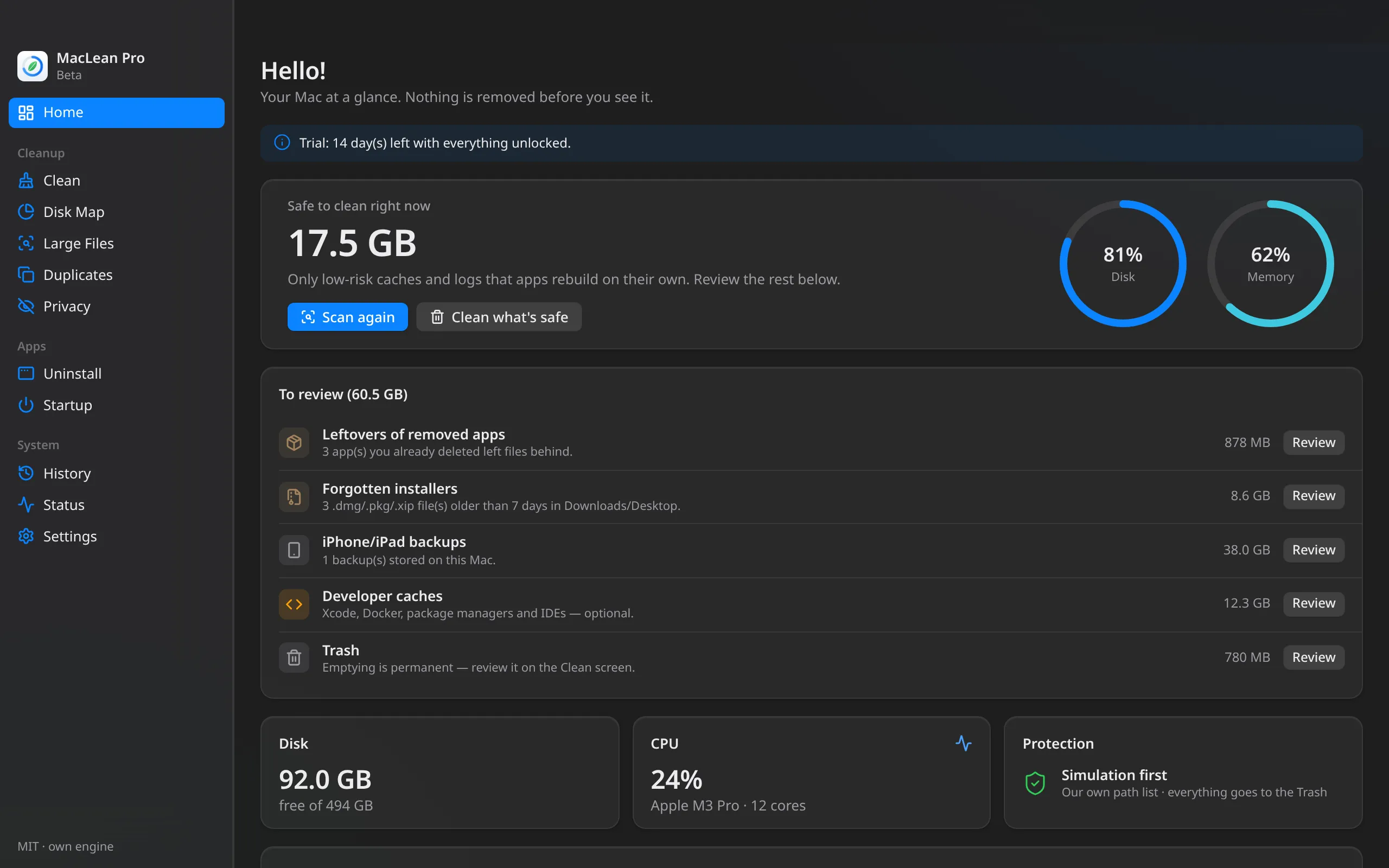
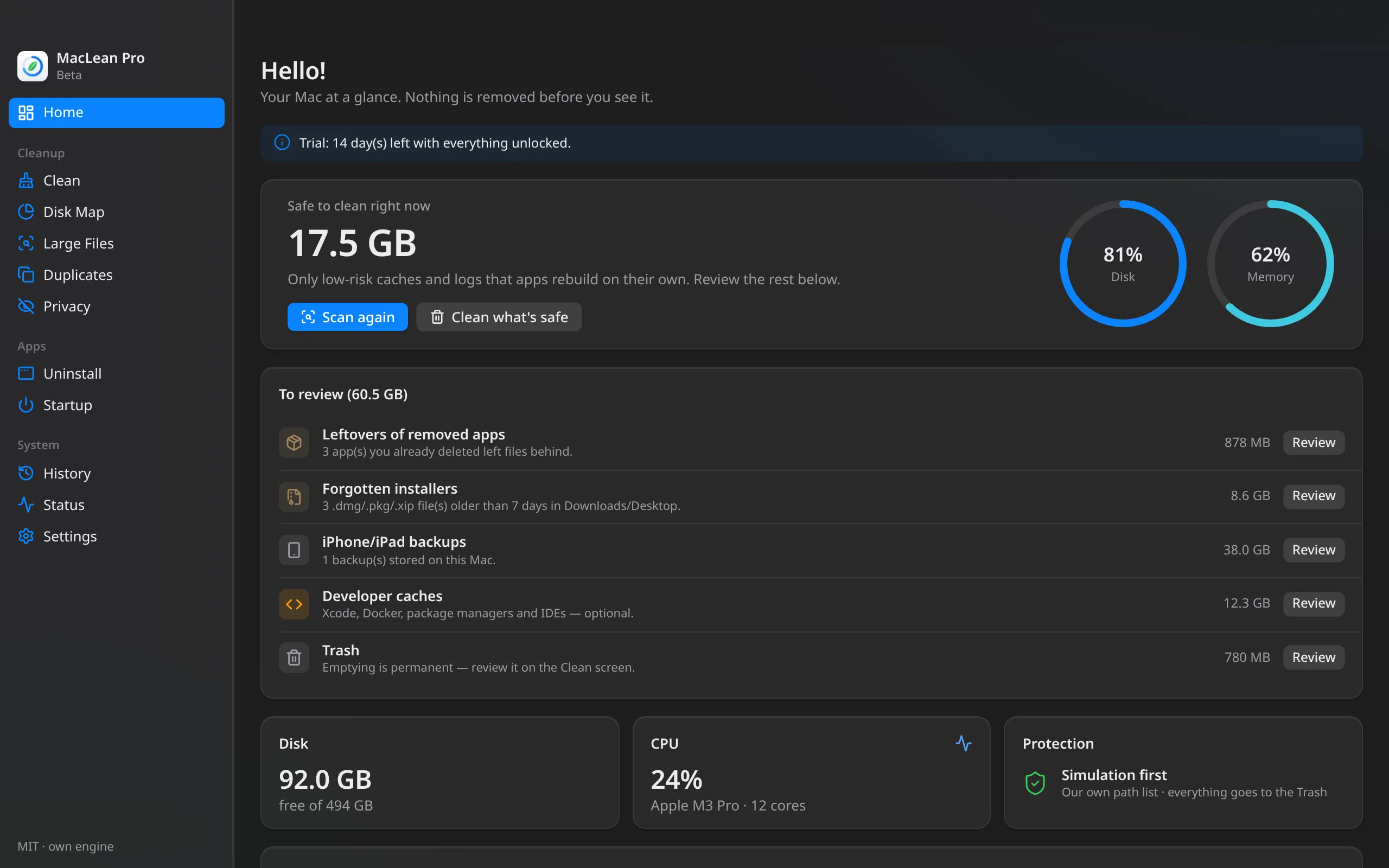
One button shows what's safe to clean right now and what's worth reviewing: leftovers of removed apps, forgotten installers, iPhone/iPad backups, dev caches and the Trash. Nothing risky comes pre-selected.
For macOS · one-time payment
Scan your Mac in one click and see exactly what will go before anything is deleted. MacLean Pro only cleans caches that rebuild themselves, sends everything to the Trash, and never asks for your admin password.
14-day free trial · then a lifetime license
Safety first
Most cleaners ask for blind trust. MacLean Pro does the opposite: it shows, explains, and only acts when you confirm.
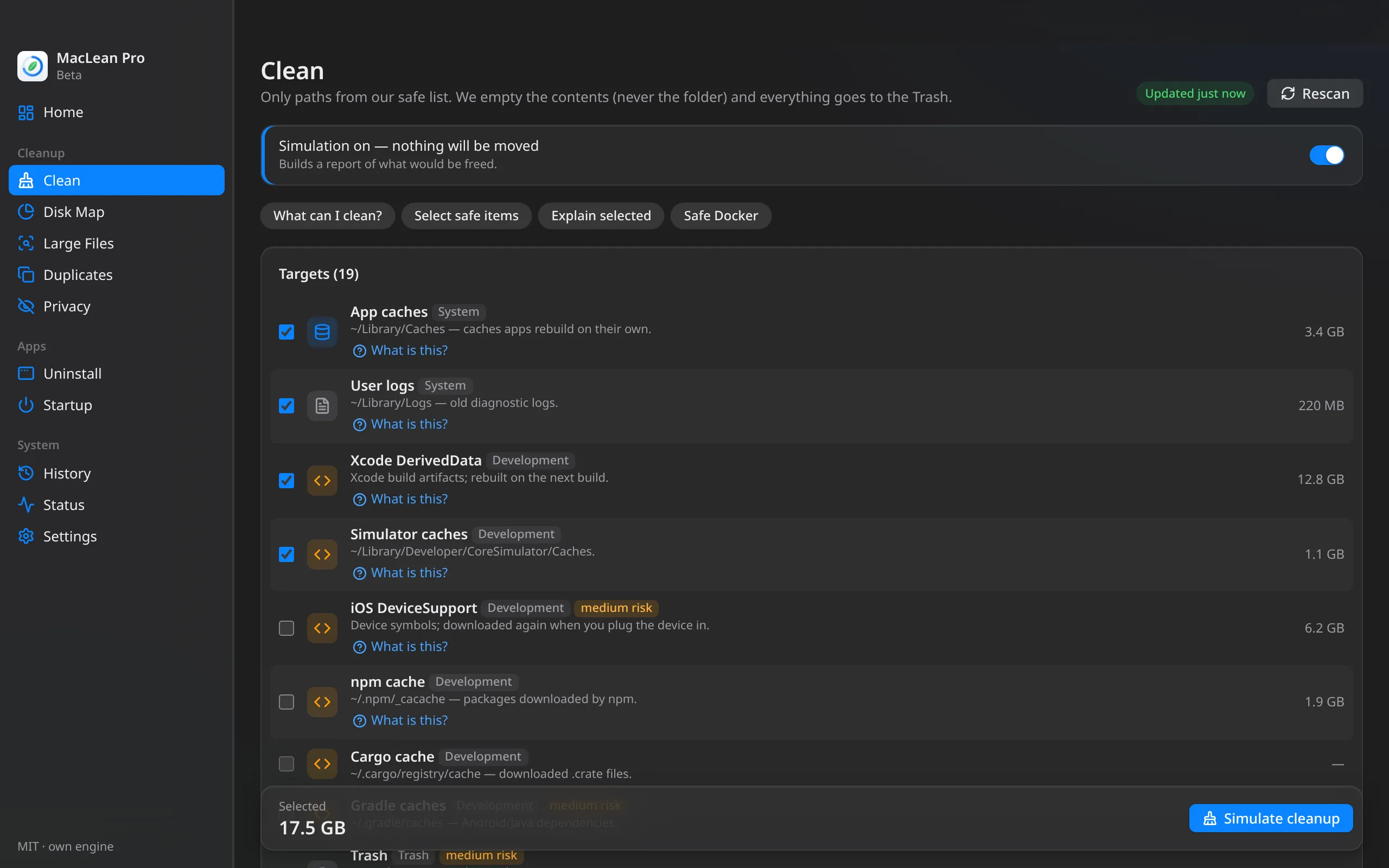
Every cleanup starts in simulation mode, on by default. You see each folder and how many GB would go — then you confirm.
We only clean paths from our own list: caches, logs and build artifacts that macOS and apps rebuild. No “we think this is junk” heuristics.
Cleaned caches, uninstalled apps, app leftovers, forgotten installers, large files and duplicates: everything goes to the Trash. Changed your mind? Tap Undo, or restore from History. Only emptying the Trash and cleaning Docker are permanent — and the app warns you first.
Runs with your user permissions. Never asks for an admin password and never touches /System or Apple apps.
Never follows symlinks, refuses paths outside your home folder, and moves cache contents to the Trash — never the folder itself.
Confirmation before deleting, an editable exclusion list, and open browsers are skipped automatically.
All in one app
One-click scan, cleanup, disk map, uninstaller with leftovers, duplicates and similar photos, large files, startup items and status. Native, lightweight, and fast.
One button shows what's safe to clean right now and what's worth reviewing: leftovers of removed apps, forgotten installers, iPhone/iPad backups, dev caches and the Trash. Nothing risky comes pre-selected.
App caches, logs, browsers, Mail attachments, Xcode, package managers, IDEs and Docker. Caches of open apps are skipped. Simulate first, confirm after, and it all goes to the Trash.
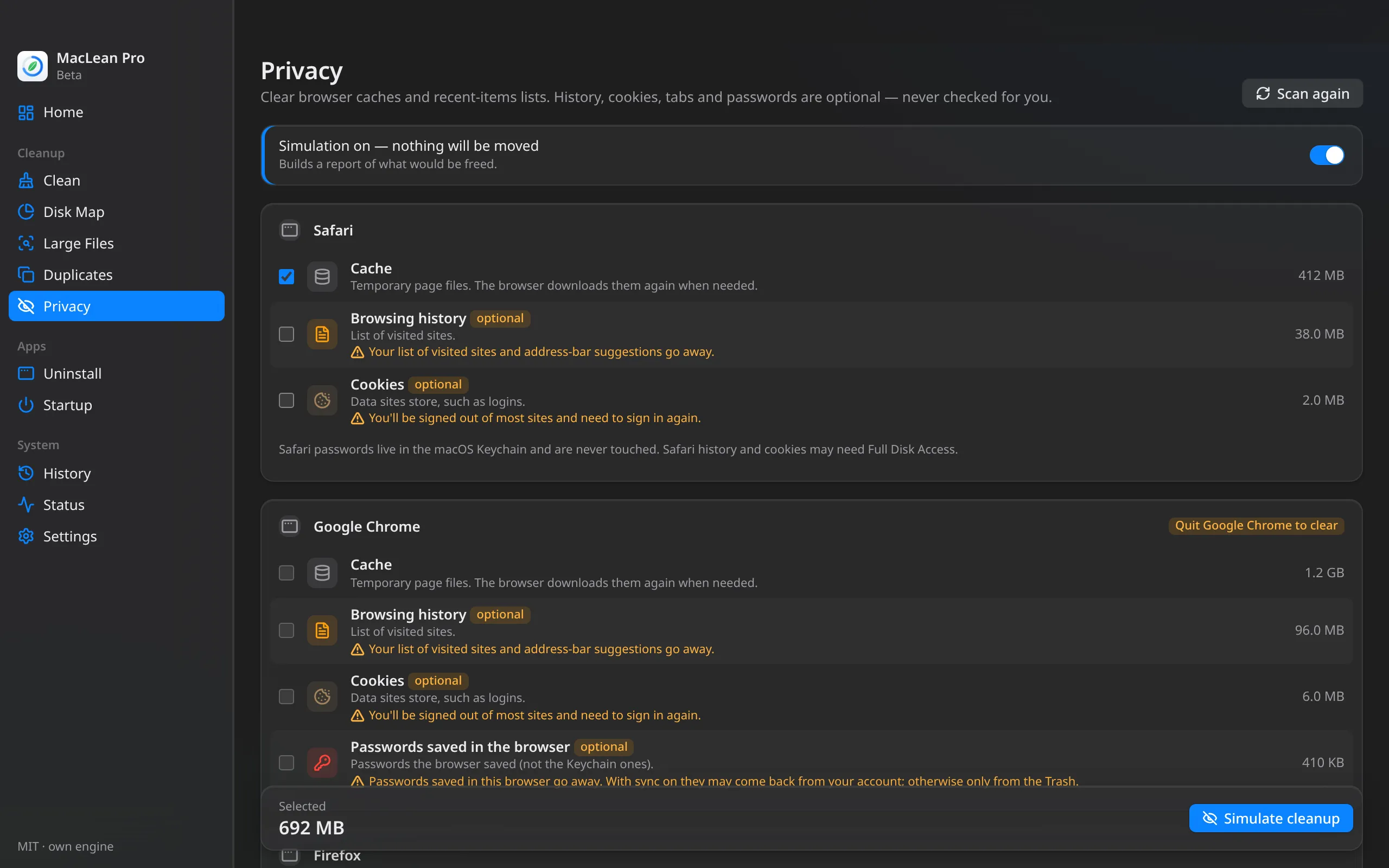
Clears Safari, Chrome, Edge, Brave, Firefox and Arc caches plus recent-items lists. History, cookies, tabs and saved passwords are listed separately, with a clear warning and unchecked. The browser must be closed, and everything goes to the Trash.
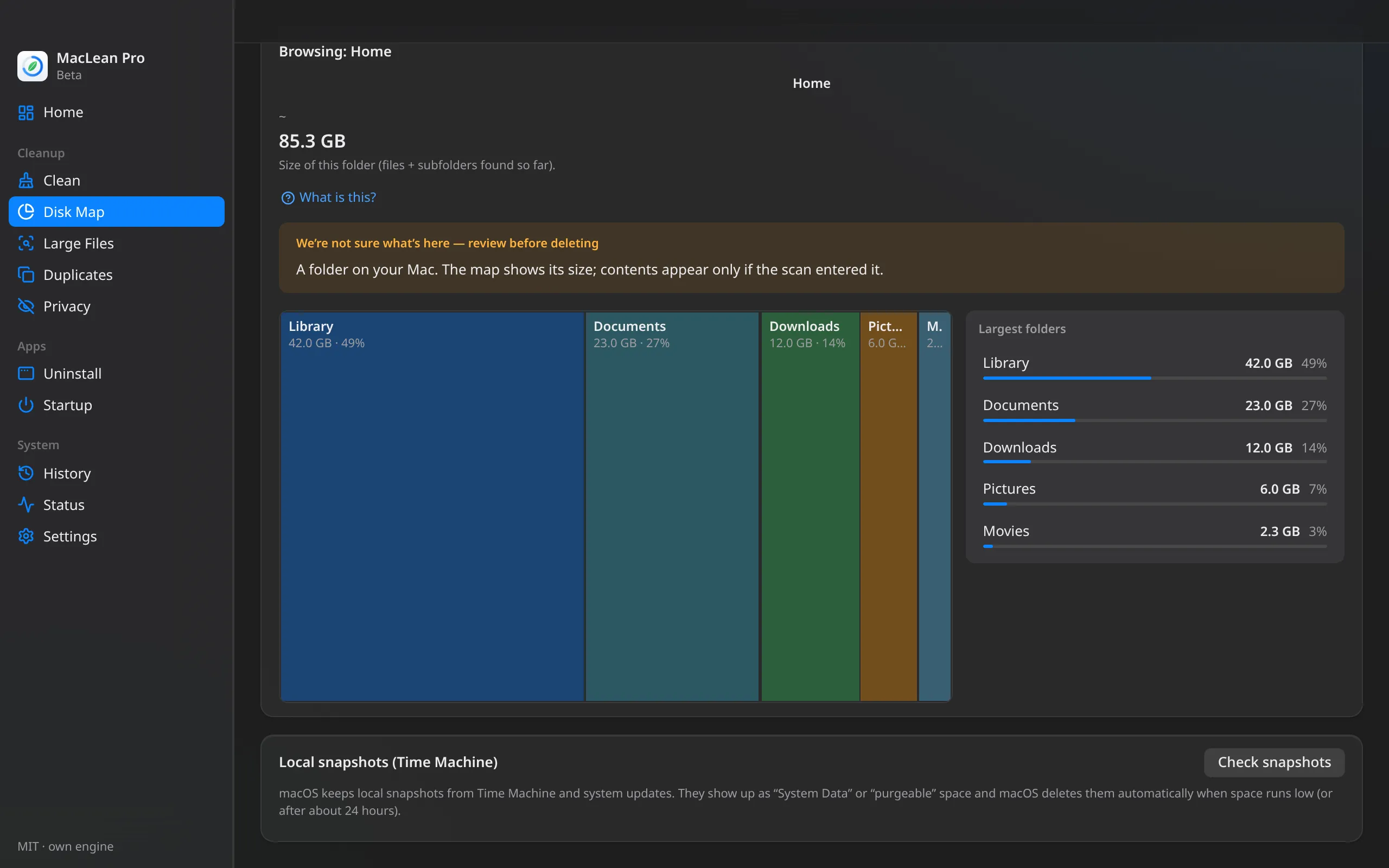
A navigable treemap of your home folder or any volume. Click into folders and find where your gigabytes went. It also lists the local Time Machine snapshots that show up as “System Data” (read-only).
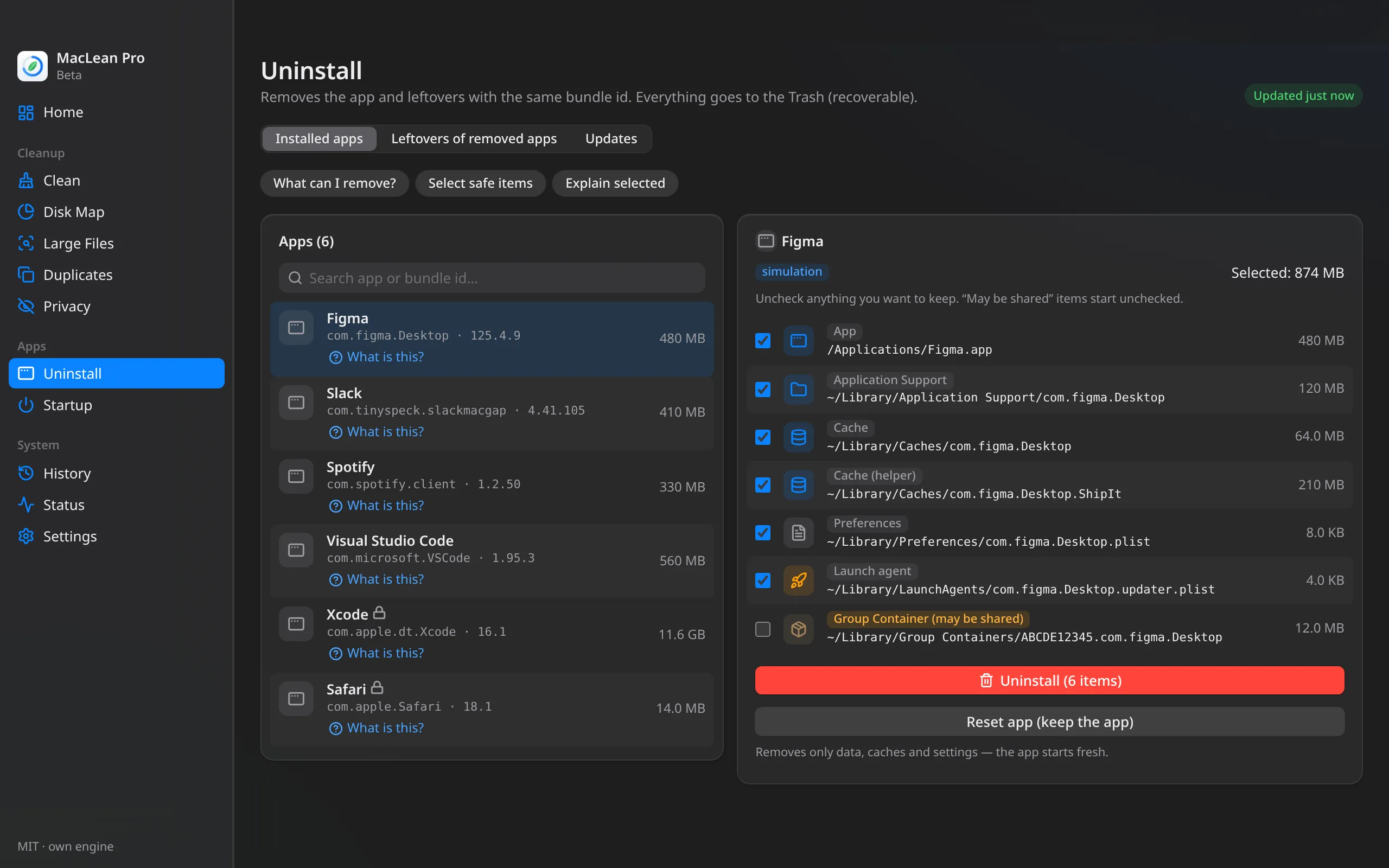
Removes the app plus leftovers with the same bundle id. Shows the plan first; Apple apps are protected.
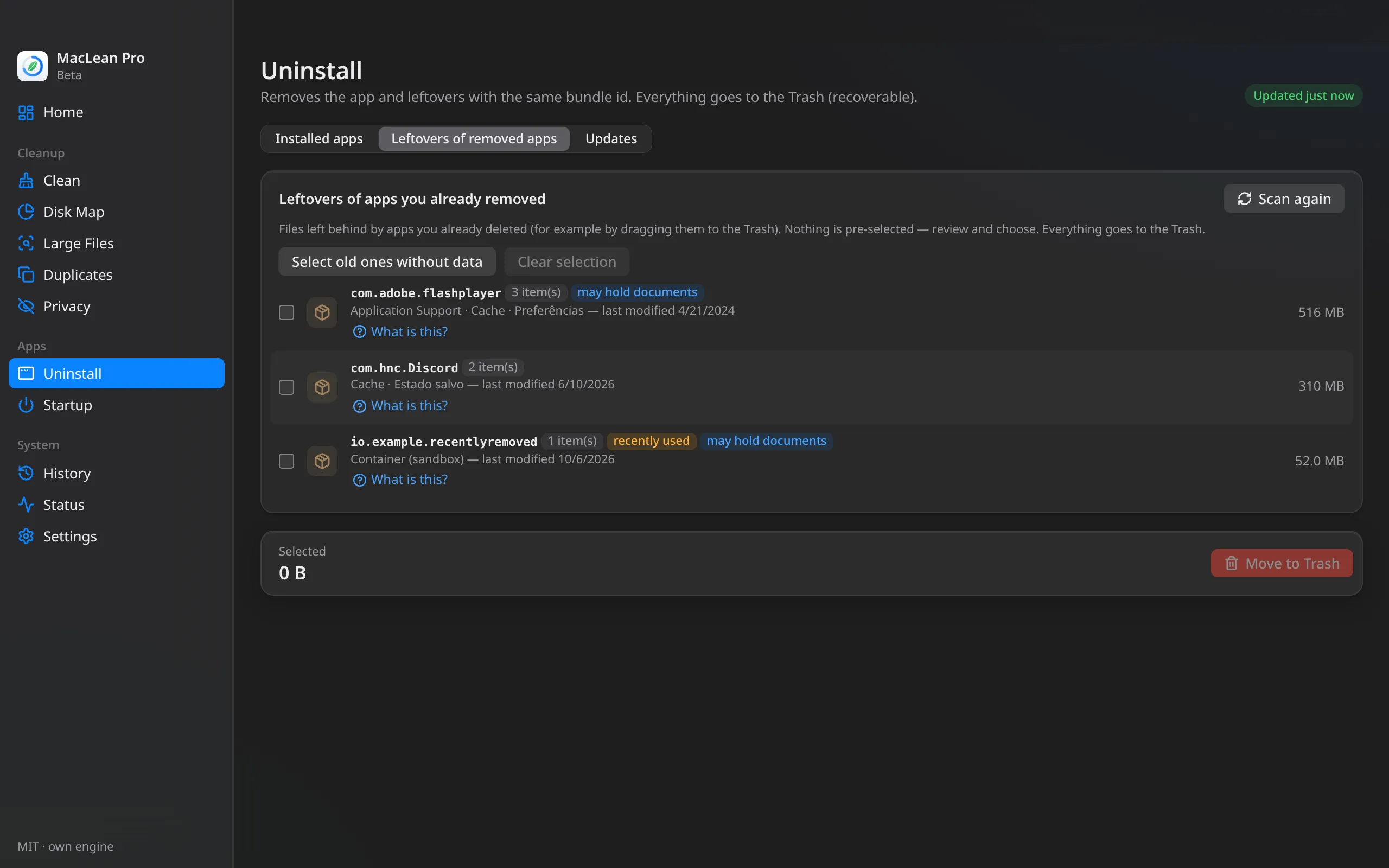
Dragged an app to the Trash and files stayed behind? MacLean Pro finds those leftovers in ~/Library, flags the ones that may hold documents, and pre-selects nothing.
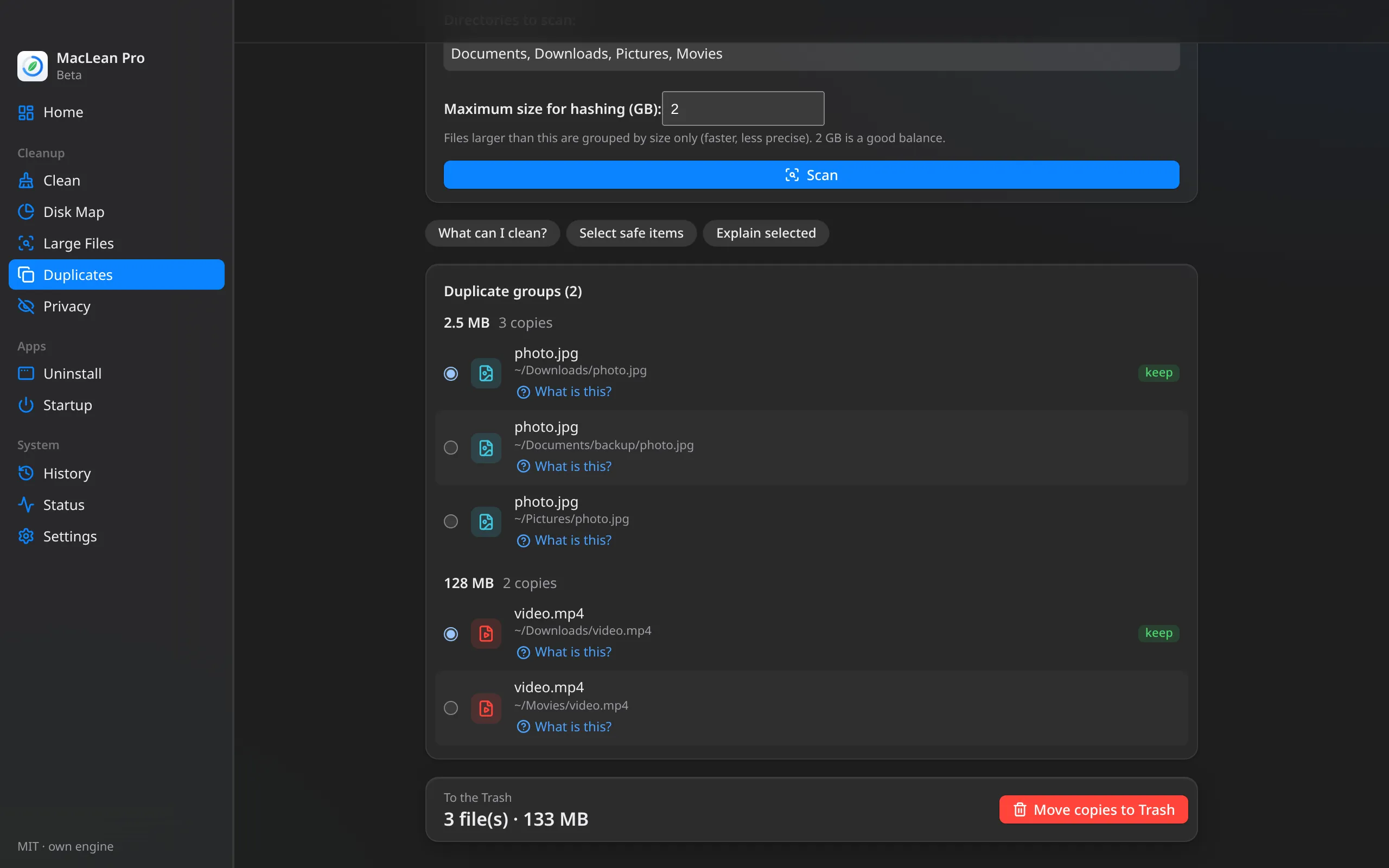
Compares file contents (BLAKE3 hash), not just names. The Similar photos tab finds resized, recompressed or burst shots, with side-by-side thumbnails and the best shot suggested — nothing is pre-selected, and whatever you pick goes to the Trash. Your Photos library is never touched.
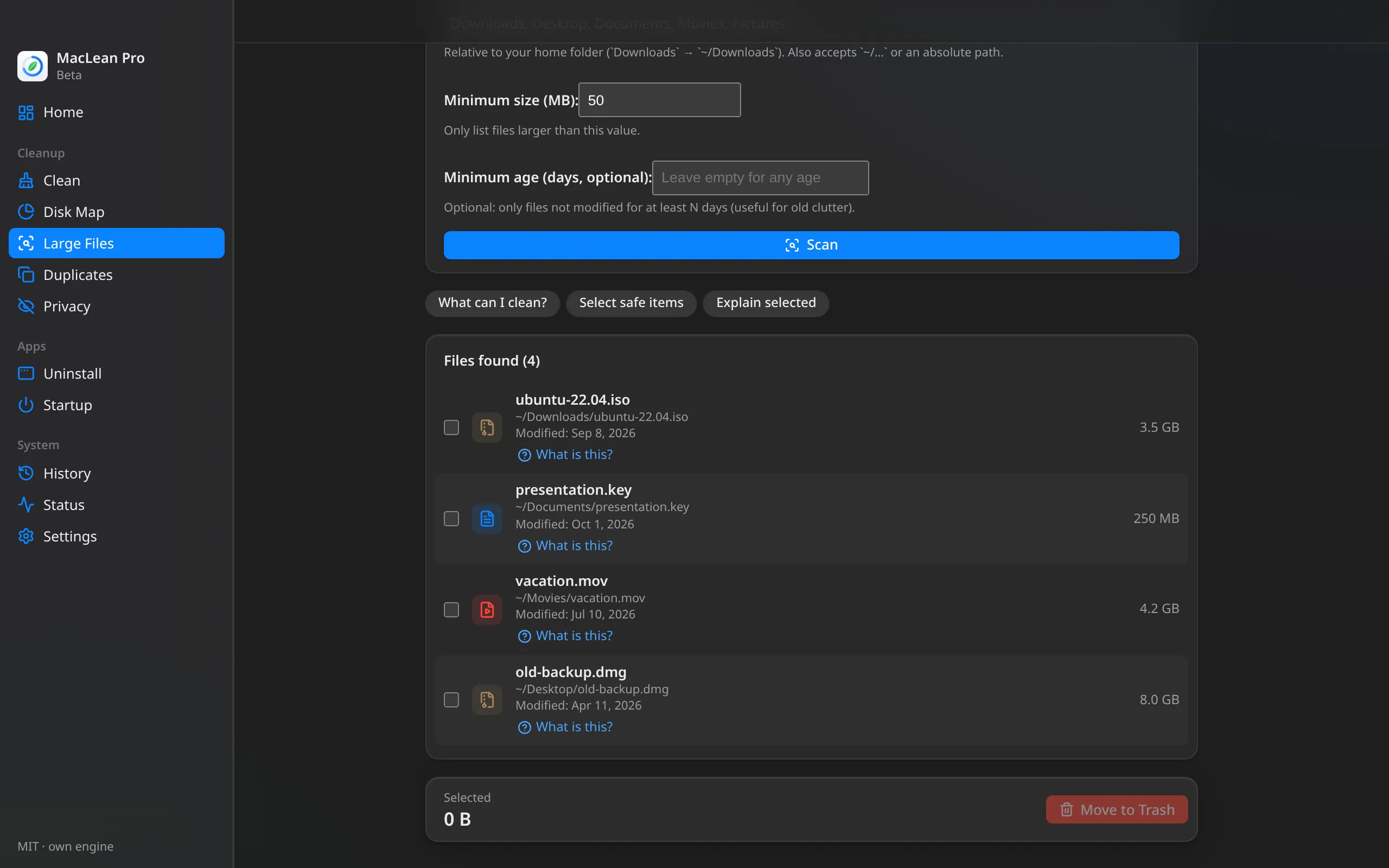
Find what's heavy in Downloads, Desktop, Documents, Movies and Pictures, with size and age filters.
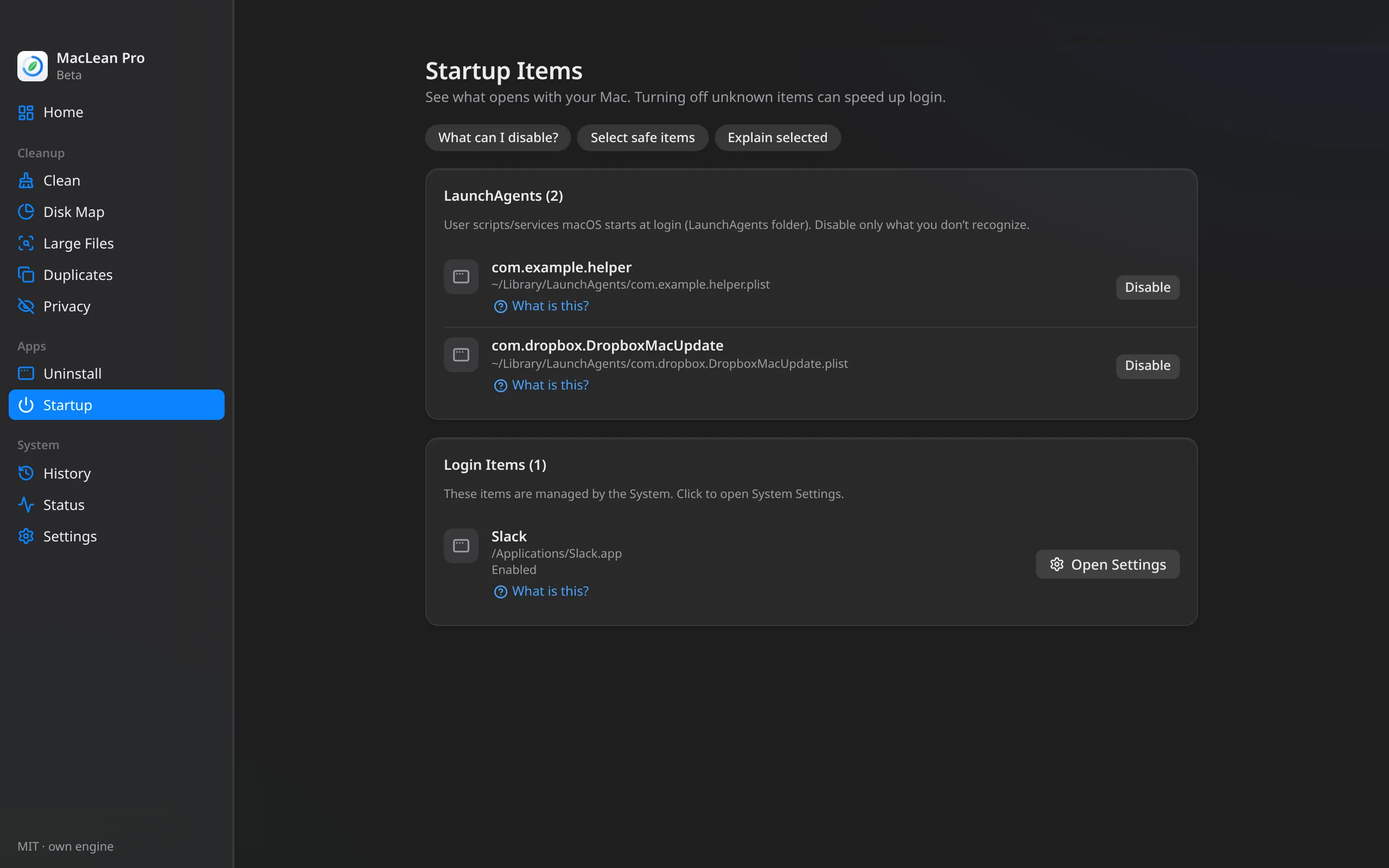
See what launches with your Mac. Disable LaunchAgents you don't recognize; system-managed items open straight in Settings.
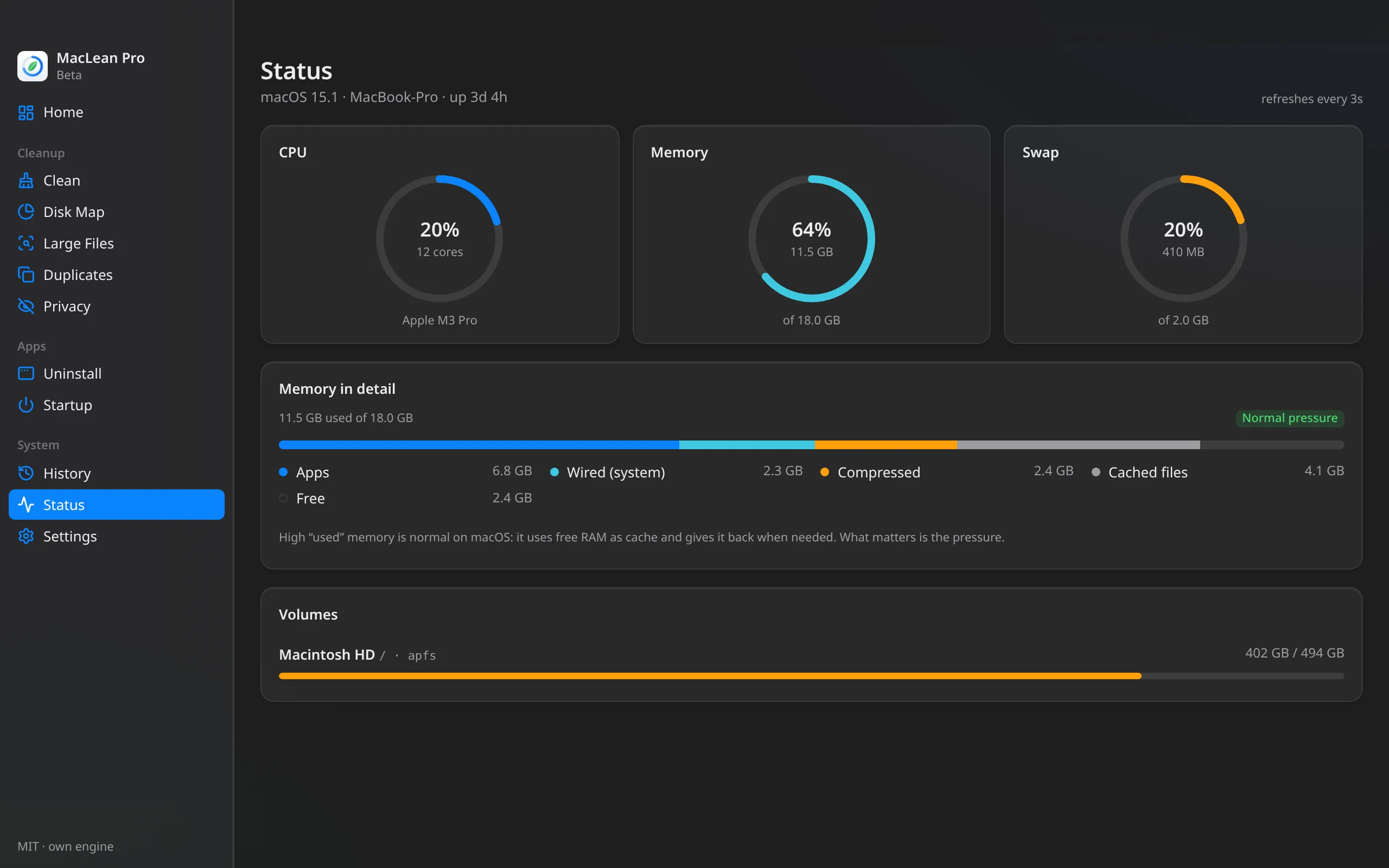
CPU, memory (pressure, compressed, apps, cache), swap and volumes in real time, nothing else to install.
Built with Tauri and Rust on the system WebKit. No Electron.
Switch the interface language anytime in Settings.
Protect folders and targets you never want cleaned.
Cleaned and changed your mind? Tap Undo: items go back from the Trash to where they were, never overwriting anything. History keeps your recent cleanups.
Free space sits in the menu bar, with memory and the one-click scan a click away. If you want, the app stays there when you close the window and opens when your Mac starts (both off by default). Plus a nudge when it's been a while since you last reviewed your Mac.
Bought it? Paste the key and you're done. It's checked right on your Mac, no account or connection needed.
Real app screenshots with demo data.
Optional
Every list has a “What is this?” button and quick suggestions like “What can I clean?”. Answers are short: what it is, the risk, and what to do.
For developers
Xcode, simulators, package managers, IDEs and Docker pile up tens of GB. MacLean Pro knows those places — and knows what not to touch.
Never cleaned: Docker volumes, running containers or ones stopped less than 14 days ago, and tagged images in use. If Docker isn't running, Docker targets simply don't show up.
DerivedData · Simulator caches · iOS DeviceSupportnpm · Yarn · pnpm · Bunpip · go-build · CargoGradle · Maven (~/.m2)CocoaPods · Homebrew downloadsVS Code · Cursor · JetBrainsbuild cache · dangling images · containers stopped 14+ daysMedium-risk items (DeviceSupport, Gradle, Maven, pnpm and Docker) come unchecked, and caches of open IDEs are skipped.
An honest comparison
Only what we could confirm on official websites. Every app has its strength — this is ours.
| Feature | MacLean Pro | CleanMyMac | DaisyDisk | BuhoCleaner | Sensei | AppCleaner | Pearcleaner |
|---|---|---|---|---|---|---|---|
| Price (official sites) | US$ 24.99 lifetime* | $39.95/yr or $119.95 one-time | $9.99 one-time | $25.99 one-time on sale (list $67.99) | $29/yr or $59 one-time (3 Macs) | Free | Free (development on hold) |
| One-click scan | Yes | Yes | Not advertised | Yes | Not advertised | Not advertised | Not advertised |
| Cache & junk cleanup | Yes | Yes | Not advertised | Yes | Yes | Not advertised | Partial |
| Uninstaller with leftovers | Yes | Yes | Not advertised | Yes | Yes | Yes | Yes |
| Leftovers of removed apps | Yes | Yes | Not advertised | Yes | Not advertised | Not advertised | Yes |
| Visual disk map | Yes | Yes | Yes | Yes | Not advertised | Not advertised | Not advertised |
| Duplicates | Yes | Yes | Not advertised | Yes | Not advertised | Not advertised | Not advertised |
| Startup items | Yes | Yes | Not advertised | Yes | Yes | Not advertised | Yes |
| Dev & IDE caches (Xcode, npm, VS Code, Docker…) | Yes | Not advertised | Not advertised | Not advertised | Not advertised | Not advertised | Partial |
| Dry-run on by default | Yes | Not advertised | Not advertised | Not advertised | Not advertised | Not advertised | Not advertised |
| Optional AI explanations | Yes | Not advertised | Not advertised | Not advertised | Not advertised | Not advertised | Not advertised |
* provisional price. USD prices from each app's official store, for 1 Mac where applicable. “—” = we couldn't find the feature on the official site; it doesn't mean it's impossible. Checked on Oct 8, 2026 — prices and features change. Trademarks belong to their owners; MacLean Pro is not affiliated with them.
Sources: CleanMyMac · DaisyDisk · BuhoCleaner · Sensei · AppCleaner · Pearcleaner
Pricing
No subscription, no account, no catch.
US$ 24.99 one-time payment
Checkout coming soon
Not happy? Refunds within 14 days.
FAQ
It's designed not to. Cleanup only acts on a closed list of caches, logs and build artifacts that rebuild themselves; it always starts in dry-run and asks for confirmation. Caches, apps, large files and duplicates go to the Trash, and come back with one tap on Undo (or from History). If something can't go to the Trash, it stays where it is until you decide.
No. The app runs with your user permissions, without sudo, and never touches /System or Apple apps.
Everything runs on your Mac. No account required. If you turn on the optional AI, it sends the provider you chose (Anthropic or OpenRouter) only the path names and sizes of items on the current screen — never file contents. Your key stays in the macOS Keychain.
No. AI is an optional extra to explain items and suggest what's safe. Without a key, every cleanup feature works normally.
MacLean Pro charges nothing for AI. You use your own OpenRouter key and pay them directly for usage; the default model is a low-cost one.
Everything is unlocked for 14 days. After that, dry-run keeps working so you can see what could be freed; to actually clean, just activate the lifetime license.
Not unless you ask. Privacy only checks browser caches and recent-items lists. History, cookies, open tabs and passwords saved in the browser show up unchecked, with a warning about what you lose (for example, being signed out). Safari passwords live in the macOS Keychain and are never touched.
macOS 11 (Big Sur) or later.
Yes. If you're not satisfied, ask for a refund within 14 days of purchase.
Who makes it
MacLean Pro is built by Michael Correia in Aracaju, Brazil. The idea is simple: a Mac cleaner that explains every item, always starts in dry-run and sends everything to the Trash — no surprises and no subscription.

Download, run a dry-run and see how much space you get back — free for 14 days.
Download for Mac